Kanbario – everything your team needs in one tool
Kanbario brings tasks, sprints, and the wiki together in one place – simpler to set up, faster to start with, and easier to stay on top of than the heavier alternatives.
Sign in with a Microsoft or Google account. No self-registration – the company admin controls access.
Why it matters
Everything you need, nothing you don't
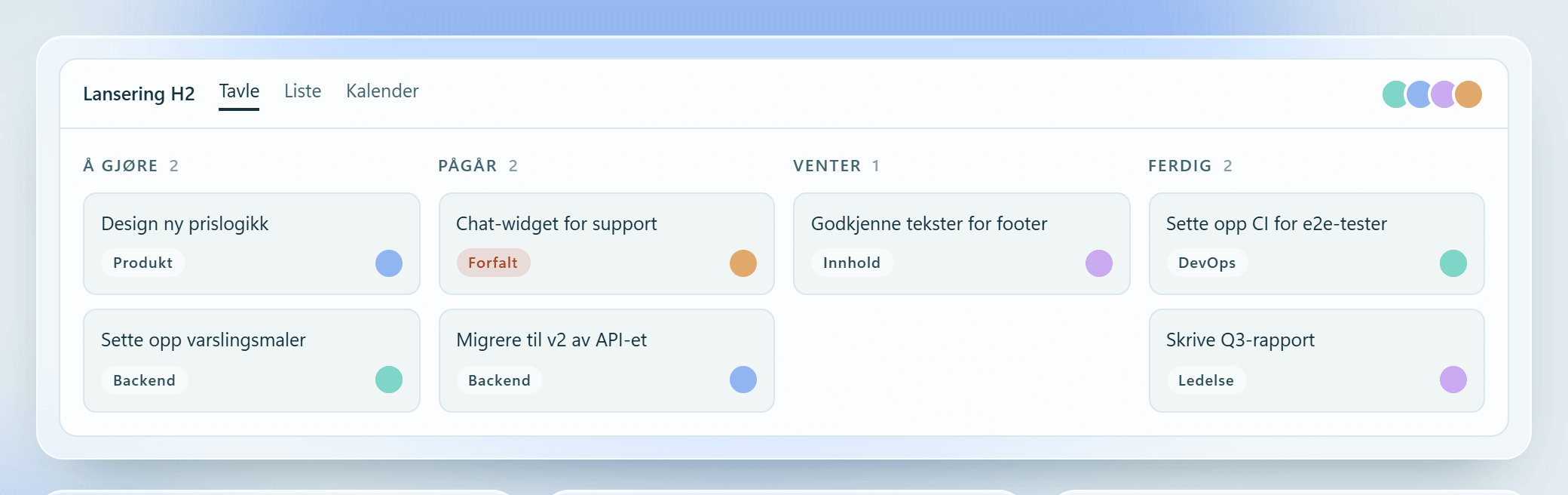
Three surfaces your team uses every day – the board, the calendar, and the wiki. Same data, no double entry.
Board
Drag tasks between columns. Open the details in a modal, set an estimate in hours, days, or weeks, and add labels without leaving the board.
Calendar
Start and due dates as spans in a calendar, coloured by priority. The weekly summary shows what is overdue and what is left this week.
Wiki
Nested pages, a rich editor, version history you can roll back, and import from Word and PDF. Pages link straight to the tasks they belong to.
The whole company on one screen
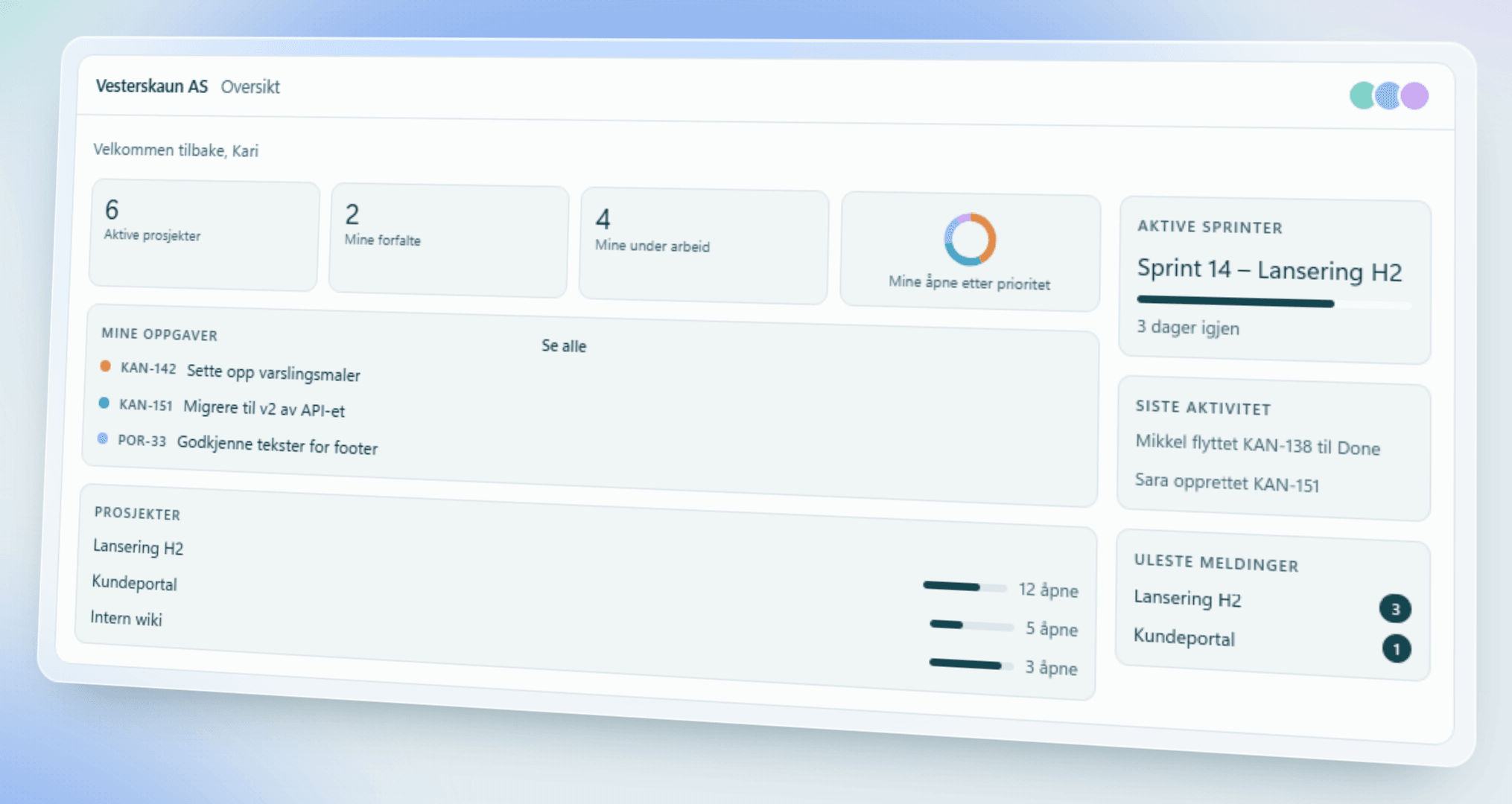
The dashboard gathers what is happening across every project you have access to: your tasks, active sprints, recent activity and unread messages.
Your overdue and in-progress tasks, across projects
Active sprints with progress and days remaining
Recent activity and unread messages from the project chats
Sprints and follow-up
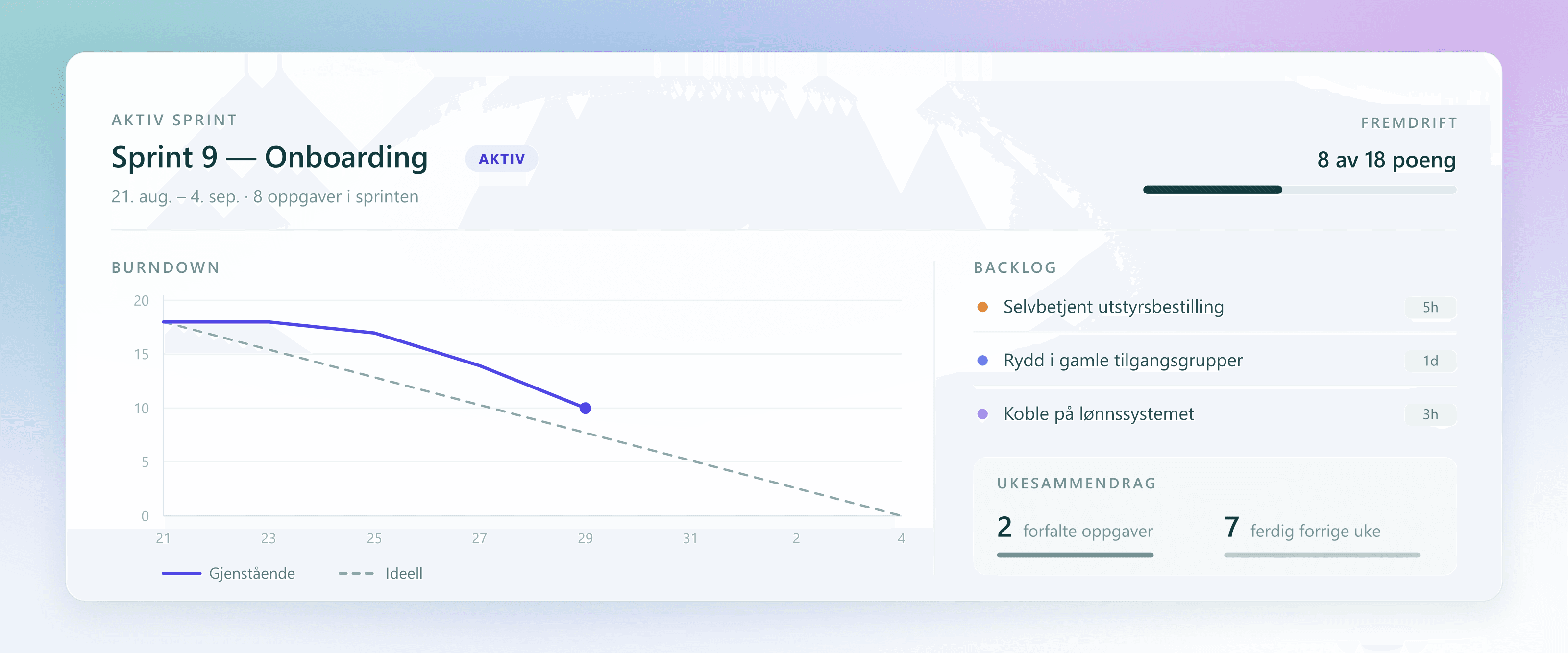
Backlog, active sprint, and burndown against the ideal line – plus a weekly summary showing overdue tasks and what was finished last week.
Backlog and active sprint with points and burndown against the ideal line
Weekly summary with overdue tasks and what was finished last week
Requests from customers and colleagues, in the same tool
Requests come in from outside, land in a queue with a deadline, get an assignee, and the reporter follows the answer in their own thread.
Reporting without an account – a form of its own per project, the address confirmed by a one-time code, and the answer followed in a thread with its own link
Deadlines for both the first reply and the resolution – the queue flags a ticket before its deadline runs out, and an alert goes out once the resolution deadline has passed
A queue filtered by status, priority, and assignee, and an approved list of email domains deciding who may report to the project
Internal notes the reporter never sees
An optional module, switched on per company and per project.
Where the files and the code already live
Two optional modules that connect Kanbario to what the company already uses.
SharePoint
Attach files from your company's own SharePoint to a task description, a comment, or a wiki page. The files stay where they are; Kanbario shows the reference, and Microsoft 365 still decides who gets to open them.
Azure DevOps
Commits, branches, pull requests, builds, and deployments from Azure DevOps show up on the task they belong to, so you see what has actually been done without switching tools.
Access and security
Who gets in is controlled by your company – not by an open sign-up page.
Sign-in only via Microsoft Entra ID or Google – no passwords are stored in Kanbario
An access list per company; an email that is not on the list does not get in
The company admin sees everything in their own company, regular users only the projects they are members of
Attachments live in private storage and are served through an access-controlled route – direct file links do not work
How to get started
Three steps from an empty screen to a team working together.
Create your company
Set up the workspace and invite your colleagues – no lengthy configuration.
Add projects
Start a project, add tasks to the board, and write the first wiki page.
Work together
Assign tasks, discuss in chat, and keep the documentation up to date as you go.
Want to see Kanbario in action?
Open Kanbario and have a look around, or get in touch and we'll walk you through the tool.